Proof before the pitch
The comparison makes it easier to understand the value of the render without reading a technical feature list.
 SketchUp active
Preferences
before and after architecture rendering
See before and after architecture renders that explain what stayed faithful to the project and what improved for client presentation.
For architects who need visual proof that an AI render can stay faithful to the original project.
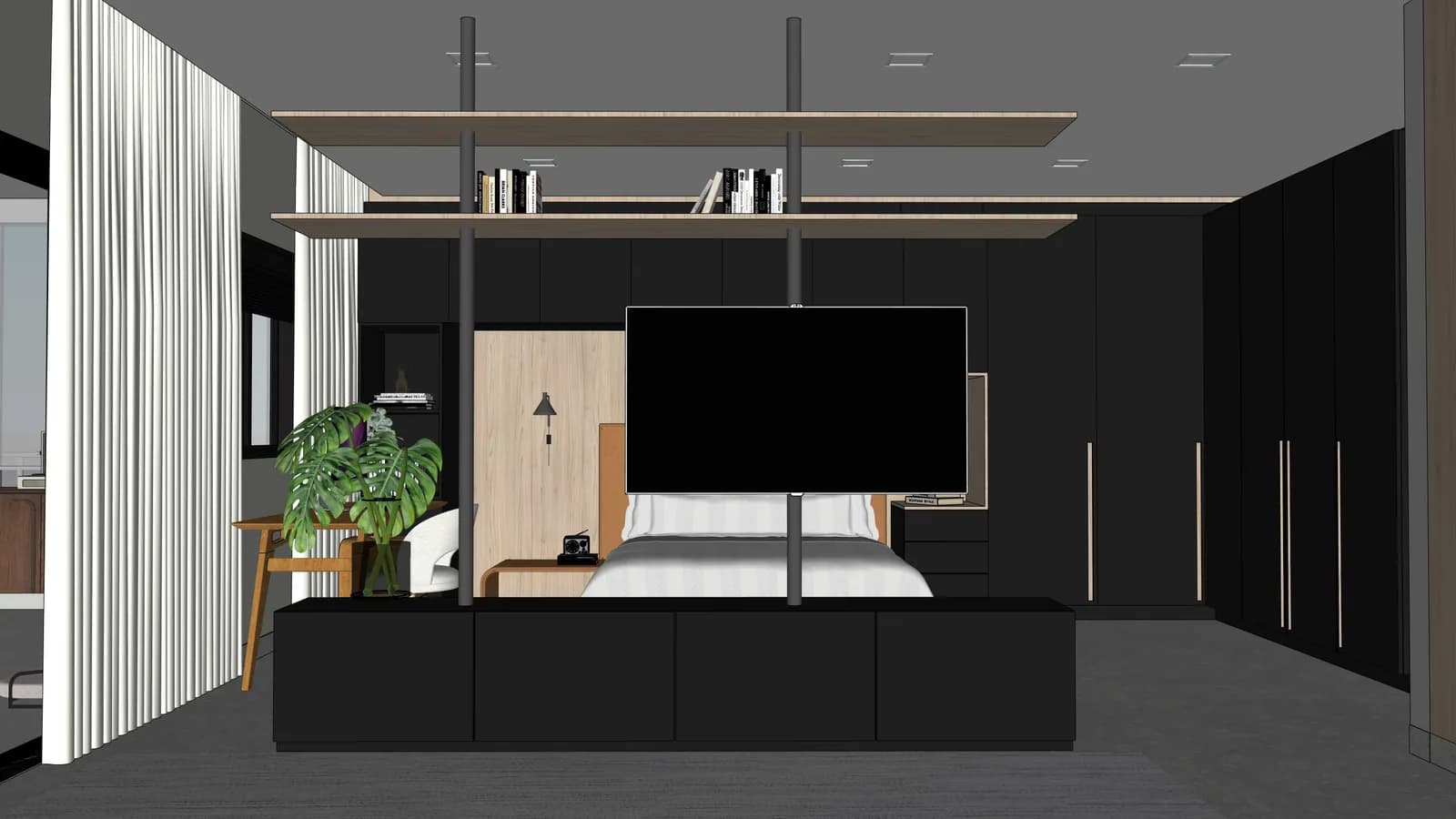
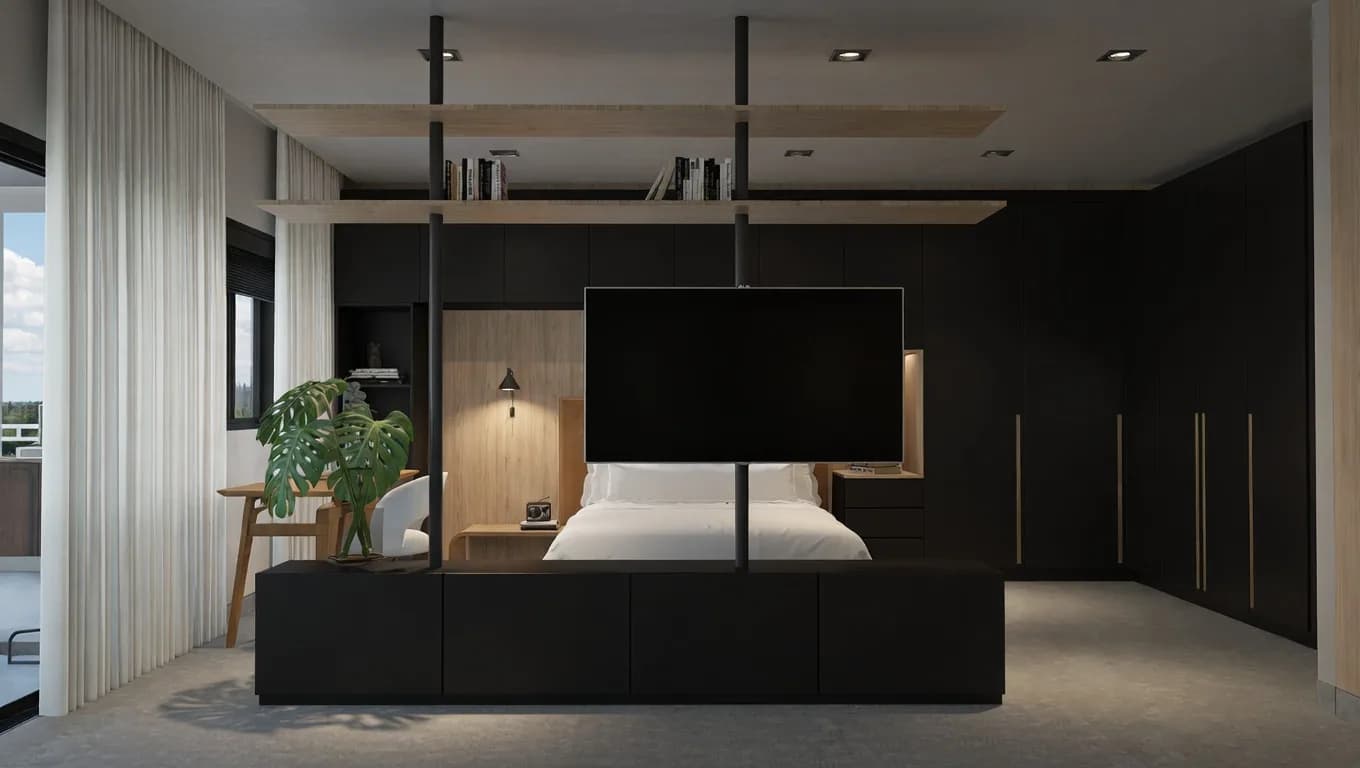
Before and after helps prove fidelity, not just visual style.
The comparison makes it easier to understand the value of the render without reading a technical feature list.
Each page explains what stayed faithful to the design and where presentation quality became stronger.
Before and after visuals help clients approve the design intent while seeing a more realistic version of the space.
Frequently asked questions
Direct answers for search engines, assistants and architects who want to understand ArchScene before entering the app.
It proves whether the AI respected the original project instead of only creating a pretty image with changed design decisions.
The workflow is built around preserving layout, scale, camera, openings, major furniture and the approved project intent.
It improves light, material quality, texture, atmosphere, depth and overall presentation so the scene feels more client-ready.